Zero Kit AI

GPT Image 2.5 AI Image Generator

OpenAI's GPT Image 2.5 keeps the details you ask for through long prompts and repeated edits, and comes in two versions: Flare for speed and Sunburst for precision.

  • OpenAIOpenAI
  • Up to 4k
  • Up to 10 reference images
  • Up to 4 images per run
  • Credits per image: from 6
  • Included in Plus and above
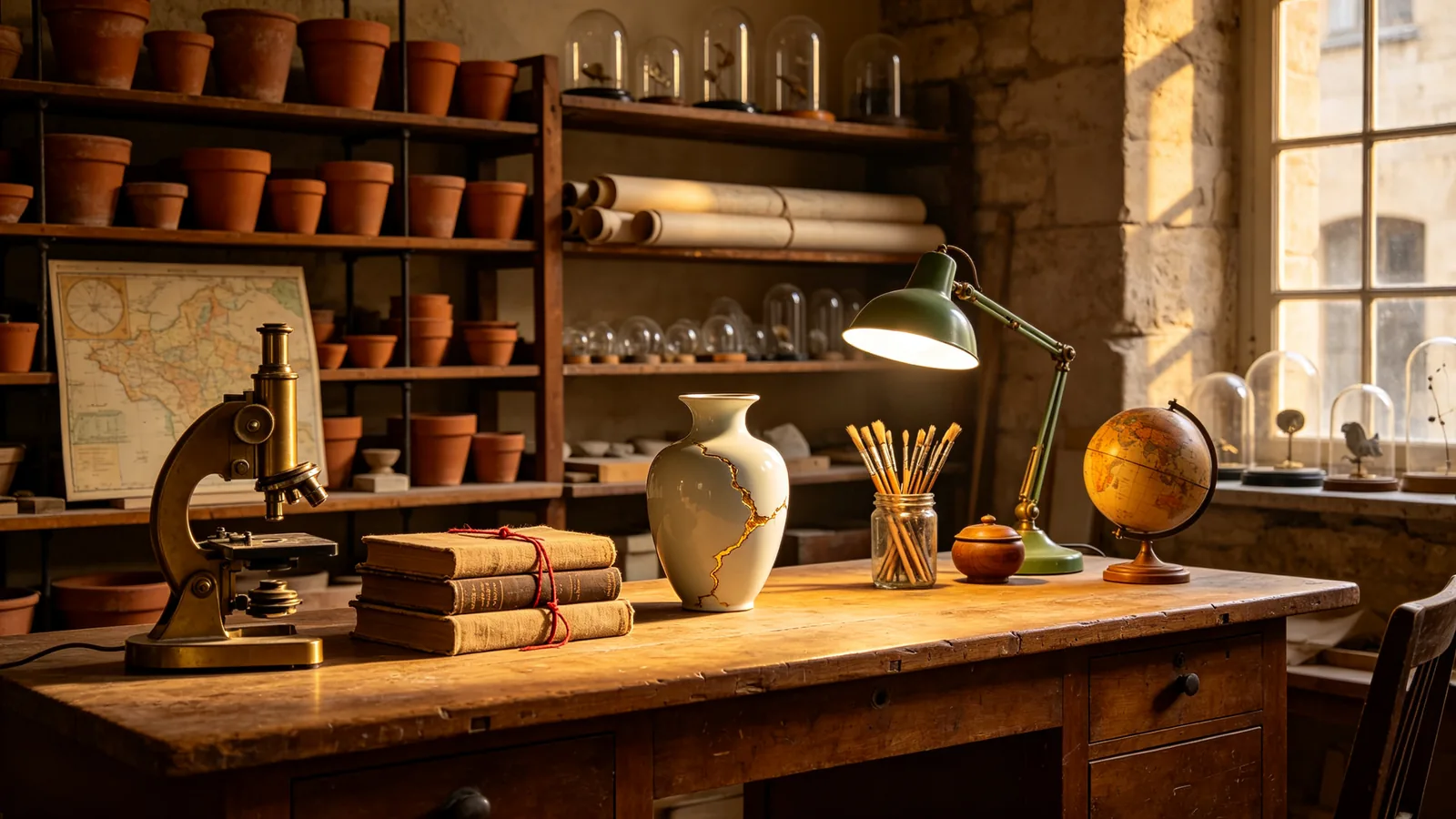
A densely furnished restorer's workshop with dozens of distinct objects arranged on oak shelves and a long workbench, lit by late-afternoon window light.

Sample prompts to try with GPT Image 2.5

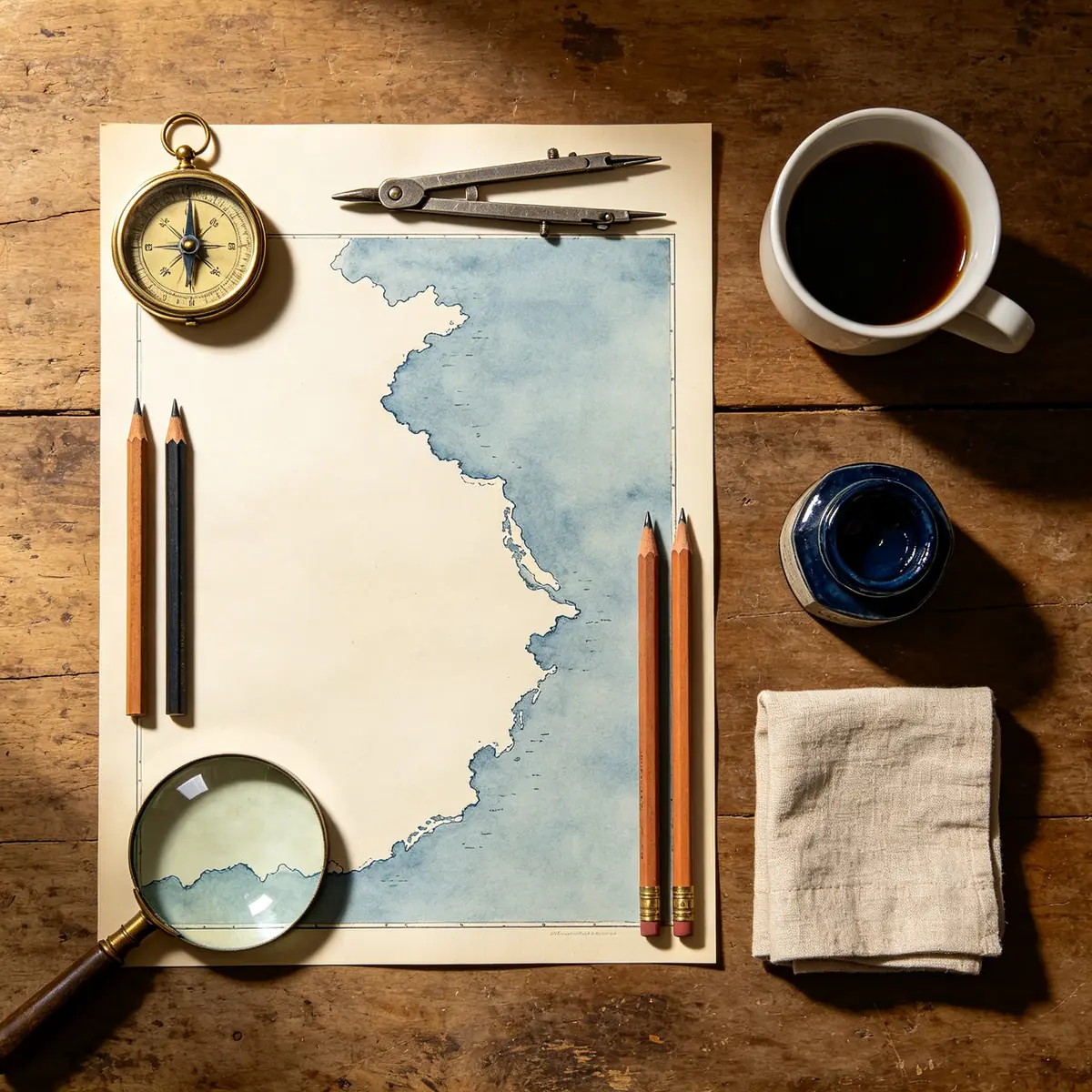
  • Overhead view of a cartographer's desk with a hand-drawn map, compass, brass dividers and a cup of tea arranged in a neat grid.

    Cartographer's desk flat lay

    Top-down flat lay of a cartographer's desk on a worn walnut surface. Arranged in a tidy grid: a hand-inked coastline map with no lettering, a brass compass, a pair of steel dividers, three sharpened pencils of different lengths, a magnifying glass, a small pot of indigo ink, a folded linen napkin, and a white cup of black tea casting a round shadow. Soft diffused daylight from the top left, subtle paper texture, muted ochre, indigo and cream palette, crisp focus edge to edge, editorial still-life photography.

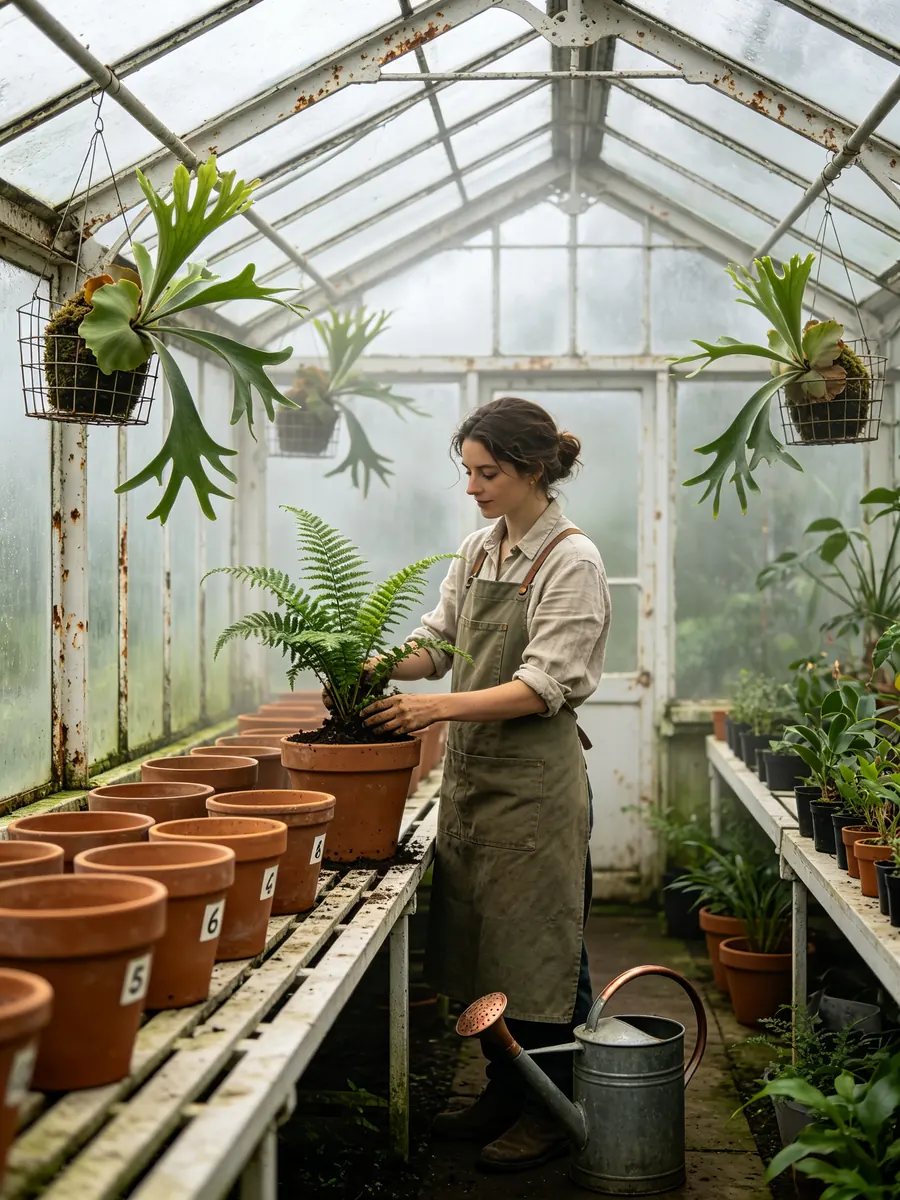
  • A botanist in a canvas apron tends potted ferns inside a tall Victorian glasshouse with iron ribs and hanging plants.

    Botanist in a Victorian glasshouse

    A botanist in a heavy canvas apron and rolled shirt sleeves repotting a young fern inside a tall Victorian glasshouse. White-painted iron ribs arc overhead, staghorn ferns hang in wire baskets, a row of numbered clay pots sits on a slatted bench, and a watering can with a copper spout rests at her feet. Soft overcast light filters through fogged glass panes, humid haze in the air, green and weathered white palette with a touch of rust. Medium shot at 50mm, natural skin texture, calm documentary mood.

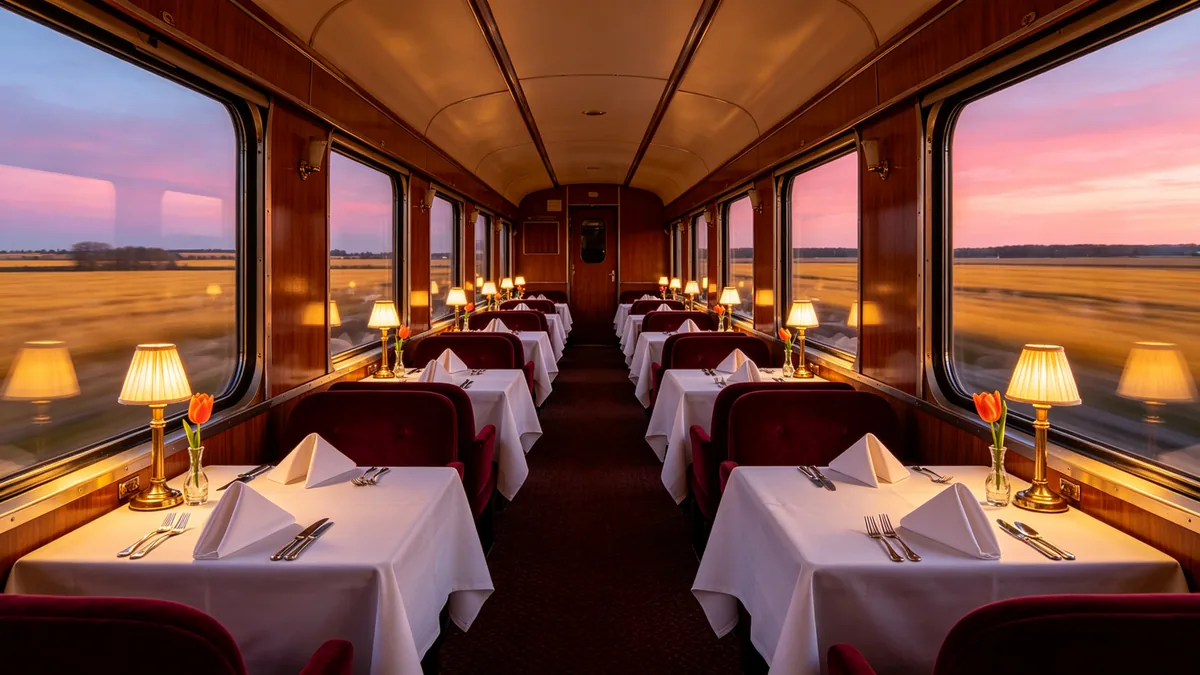
  • An empty mid-century train dining car at dusk with set tables, brass lamps and a blurred sunset landscape outside the windows.

    Vintage dining car at dusk

    Interior of a mid-century train dining car at dusk, empty and ready for service. Tables on both sides are set with white linen, folded napkins, heavy silverware, small brass table lamps with pleated shades glowing warm, and a single orange tulip in a bud vase on each table. Through the windows, a motion-blurred landscape of golden fields and a pink-violet sky. Walnut veneer walls, burgundy velvet seats, one-point perspective down the aisle, 24mm lens, warm tungsten against cool dusk, cinematic and precise.

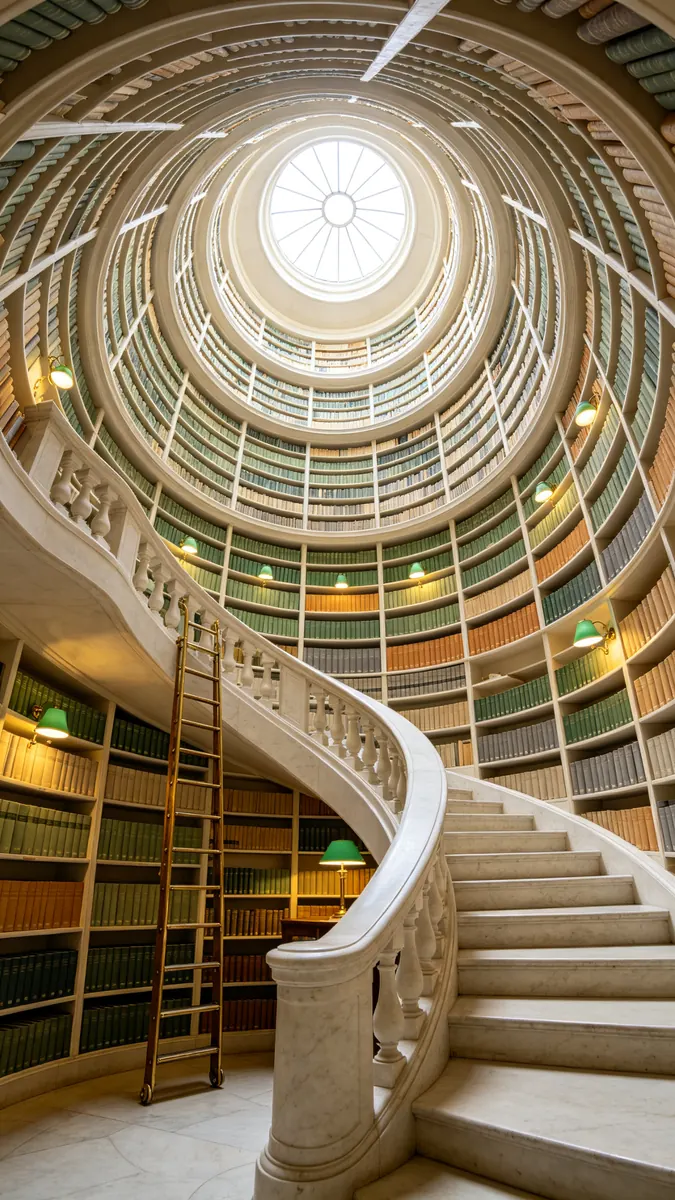
  • Looking up a white spiral staircase wrapped by bookshelves toward a round skylight.

    Spiral library staircase

    Looking straight up the center of a tall cylindrical library where a white stone spiral staircase winds past curved walls of bookshelves. Books with plain cloth spines in muted greens, ochres and greys, a rolling brass ladder, small reading niches with green lamps, and a round skylight at the top pouring soft daylight down the well. Strong spiral composition, ultra-wide 16mm lens, crisp architectural detail, calm and luminous.

Sample images are illustrative; results vary by model.

About GPT Image 2.5

GPT Image 2.5 is the OpenAI image generation and editing model that follows GPT Image 2, and it ships as two models. Flare is the small one, tuned for speed; OpenAI's prompting guide puts its image quality on par with GPT Image 2. Sunburst is the base model, tuned for quality and for work where editing precision matters most, and it takes longer to generate. OpenAI says both improve precise editing and subject preservation: change the product, the background or one line of copy, and the rest of the picture stays as it was.

On Zero Kit you pick the version in the editor at the top of this page. Choose a resolution from 1k, 2k and 4k and add up to 10 reference images when a product, a room or a layout has to carry over into the new image. A single run returns up to 4 images. GPT Image 2.5 is included in Plus and above.

The model earns its place on prompts with many requirements. A still life that names each object and its position, a product line shown in several colourways, or a magazine spread that pairs a photograph with a headline all come back with the parts you listed in place. Settle the composition on Flare, then run the same prompt on Sunburst when the image needs finer texture or an edit has to leave everything else untouched. GPT Image 2, the previous version, has its own page if you want to compare.

What GPT Image 2.5 does well

Complex instructions, every detail kept

GPT Image 2.5 handles long, specific prompts without dropping items. The breakfast counter sample asks for seven objects in a fixed order from left to right, from a carafe of orange juice and a colander of lemons to a soft-boiled egg, a dish of butter and a sprig of rosemary, plus a sage tiled wall with three copper pans. Each one is in place and countable. OpenAI's guide suggests organising a prompt like this into labelled parts for scene, subject, details and constraints, which gives the model a checklist to work through.
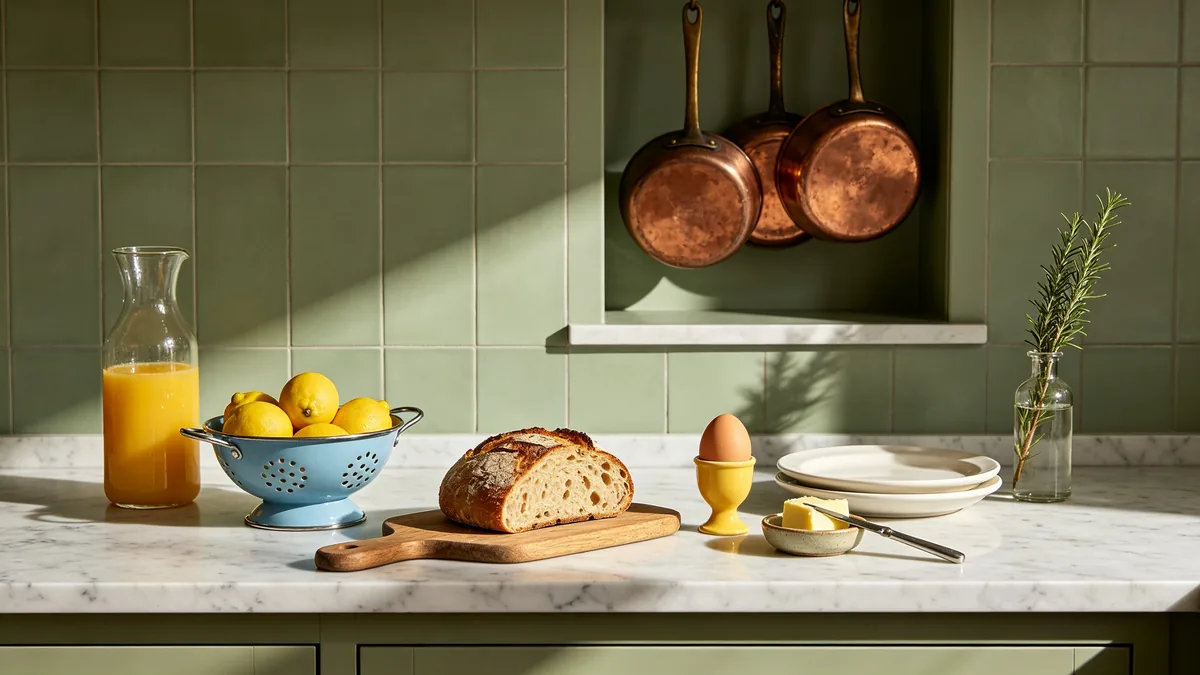
A breakfast counter set exactly to a long list of instructions: seven specific items in a specific order under morning light.

A marble breakfast counter photographed straight on, with exactly these items in this order from left to right: a glass carafe of orange juice, a blue enamel colander holding five lemons, a wooden board with a sliced loaf of sourdough, a single soft-boiled egg in a yellow egg cup, a small ceramic dish of butter with a knife resting on it, a stack of two white plates, and a sprig of rosemary in a narrow glass bottle. Behind the counter, a sage green tiled wall with one open shelf holding three copper pans. Morning sun from the right casting crisp long shadows, 50mm lens, editorial food styling, every item clearly separated and countable.
Same object across revisions

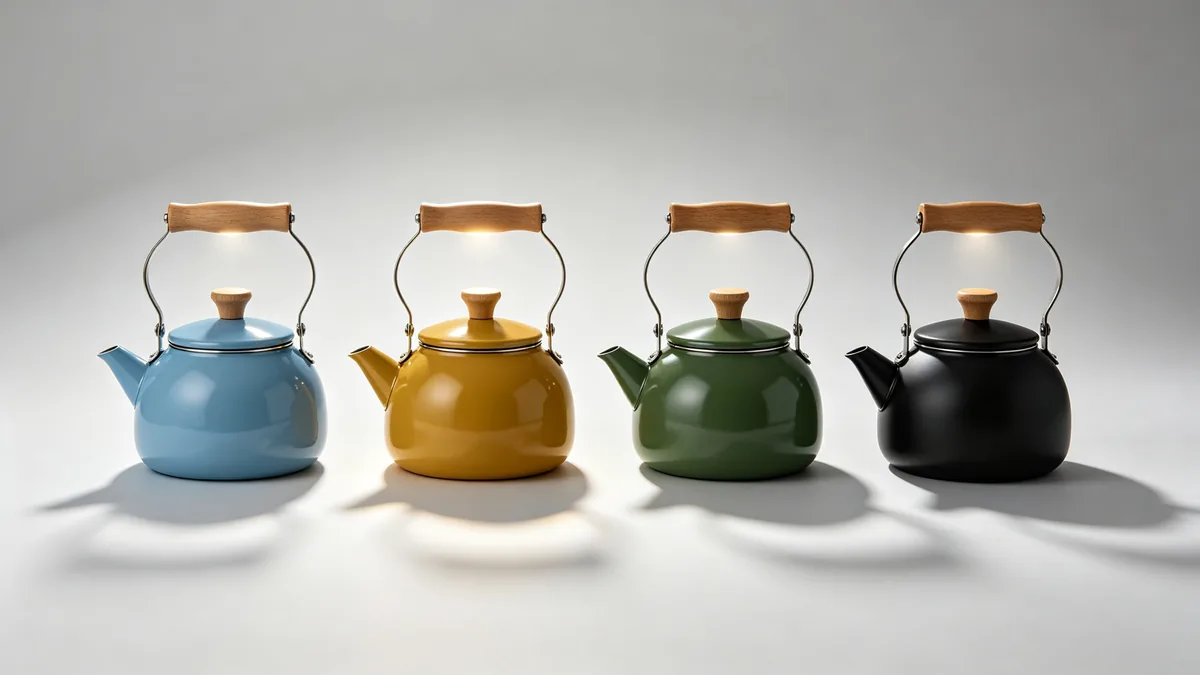
OpenAI names subject preservation as a main improvement in both versions. The kettle lineup keeps the same round body, wooden handle, spout angle and soft top light in all four copies, and only the enamel colour moves from sky blue to matte black. The same behaviour applies to a real product: upload a photo, ask for a new colour or a new setting, and state what must stay fixed. OpenAI still advises restating those fixed details in every round of edits and checking each result against the one before.

The same round enamel kettle shown four times in a row, each in a different colorway, with identical shape, handle and lighting.

A studio product lineup of the same round stovetop kettle shown four times side by side on a continuous pale grey sweep, identical shape, identical wooden handle, identical spout angle and identical soft top light. Only the enamel color changes from left to right: sky blue, mustard yellow, forest green, matte black. Each kettle casts the same soft shadow, reflections consistent across all four. Clean catalog composition with even spacing, 85mm lens, high-end industrial design photography.

Image and type in one layout

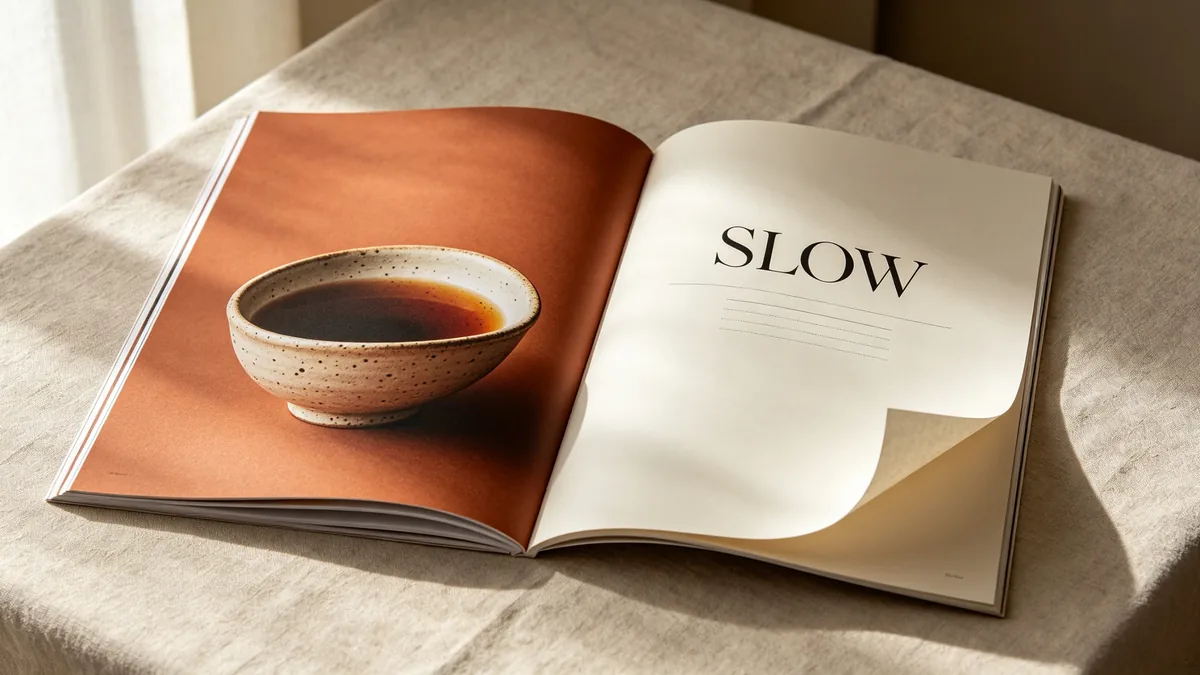
OpenAI says GPT Image 2.5 improves layout and infographic accuracy, and it treats a page as a design rather than a picture with words laid on top. In the sample, a magazine spread pairs a full-bleed photo of a speckled ceramic tea bowl with the single word SLOW in large serif capitals and grey lines standing in for body copy. For layouts, give the exact wording in quotes, the typeface style and where each block sits, and ask for no other text so the model does not invent captions.

A magazine-style spread combining a photograph of a ceramic bowl with the single headline word SLOW in large serif letters.

A printed magazine spread lying flat on a linen tablecloth, seen from slightly above. The left page is a full-bleed photograph of a hand-thrown speckled ceramic bowl filled with dark tea, the right page is mostly cream paper with the single word "SLOW" set in large elegant black serif capitals near the top, and neat grey horizontal lines below it standing in for body copy. A folded corner, soft paper texture, gentle window light from the left, terracotta and cream palette, crisp typography, premium editorial design.

GPT Image 2.5 specs and pricing

Every price below comes from the live price list, so it changes here as soon as rates change. Credits are charged per image, or per second of video.

Credits per image
ResolutionPlanGPT Image 2.5 FlareGPT Image 2.5 Sunburst
1kPlus66
2kPlus1212
4kPlusWas 2420Was 2420

Limitations to know

  • Details can drift over a long chain of edits. OpenAI notes that repeated edits may still change things you meant to keep, so restate the fixed details every time and compare each version with the original.
  • Sunburst is slower than Flare. OpenAI trades generation time for precision on the base model, so a batch on Sunburst takes noticeably longer; stay on Flare while you are still rewriting the prompt.
  • The two versions can give different results for the same prompt, and brand names or unusual words can still be misspelled. Proof every layout, and spell a tricky word letter by letter in the prompt when it comes out wrong.

How to write prompts for GPT Image 2.5

  1. Split a long prompt into labelled parts (scene, subject, details, constraints) and list countable items in the order you want them.
  2. Put every word that should appear in quotes, say where it goes, and end with "no other text".
  3. For an edit, write "change only" followed by the one thing to change, then list what must stay the same.
  4. Number your reference images in the prompt and give each a job: subject, style, clothing or background.
  5. Find the composition on Flare, then run the identical prompt and references on Sunburst for the final image.

More GPT Image models

Related AI tools

Related style categories

GPT Image 2.5 FAQ

No. On Zero Kit, GPT Image 2.5 is included in Plus and above, and each image costs credits by resolution. See the pricing page for the models on the free plan.

Ready to try GPT Image 2.5?

Write a line or pick a sample prompt, then press generate.

Last updated: