
Zero Kit AI

Grok Imagine Image 2.0 AI Image Generator

xAI's Grok Imagine Image 2.0 plans typography and layout the way a designer would, and edits one part of an image while leaving the rest alone.

  • GrokxAI
  • Up to 2K
  • Up to 3 reference images
  • Up to 4 images per run
  • Credits per image: from 8
  • Included in Plus and above
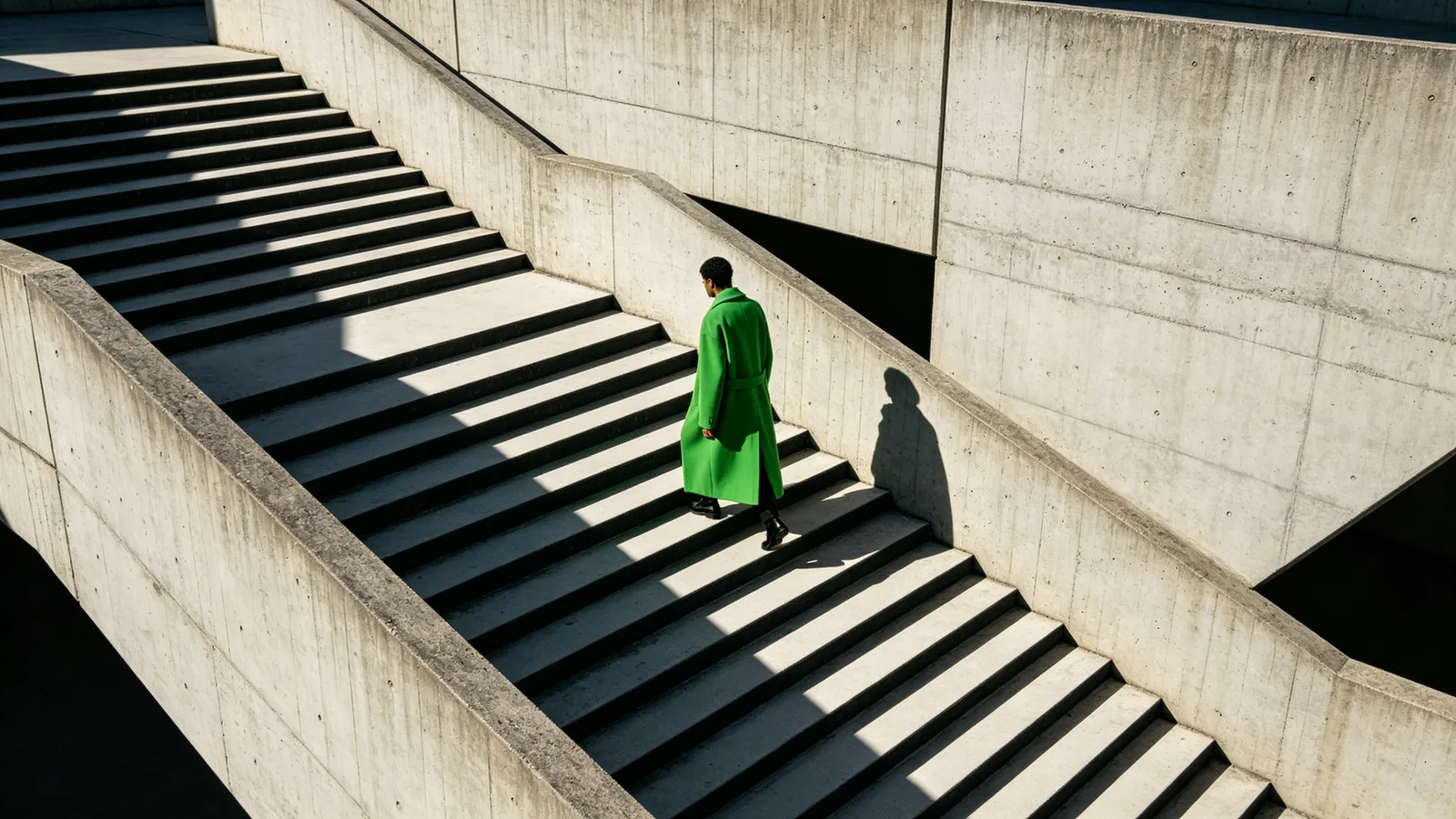
A figure in an acid-green coat descends a massive brutalist concrete staircase in hard midday light.

Sample prompts to try with Grok Imagine Image 2.0

  • A liquid chrome abstract sculpture on an acid-green backdrop, reflecting its surroundings.

    Chrome sculpture

    A smooth liquid chrome abstract sculpture shaped like a twisted drop, standing on a black glossy plinth against a flat acid-green backdrop. Crisp reflections of the studio and the green wall on the chrome surface, a single hard key light, deep black shadow. Minimal contemporary design object photography, square composition.

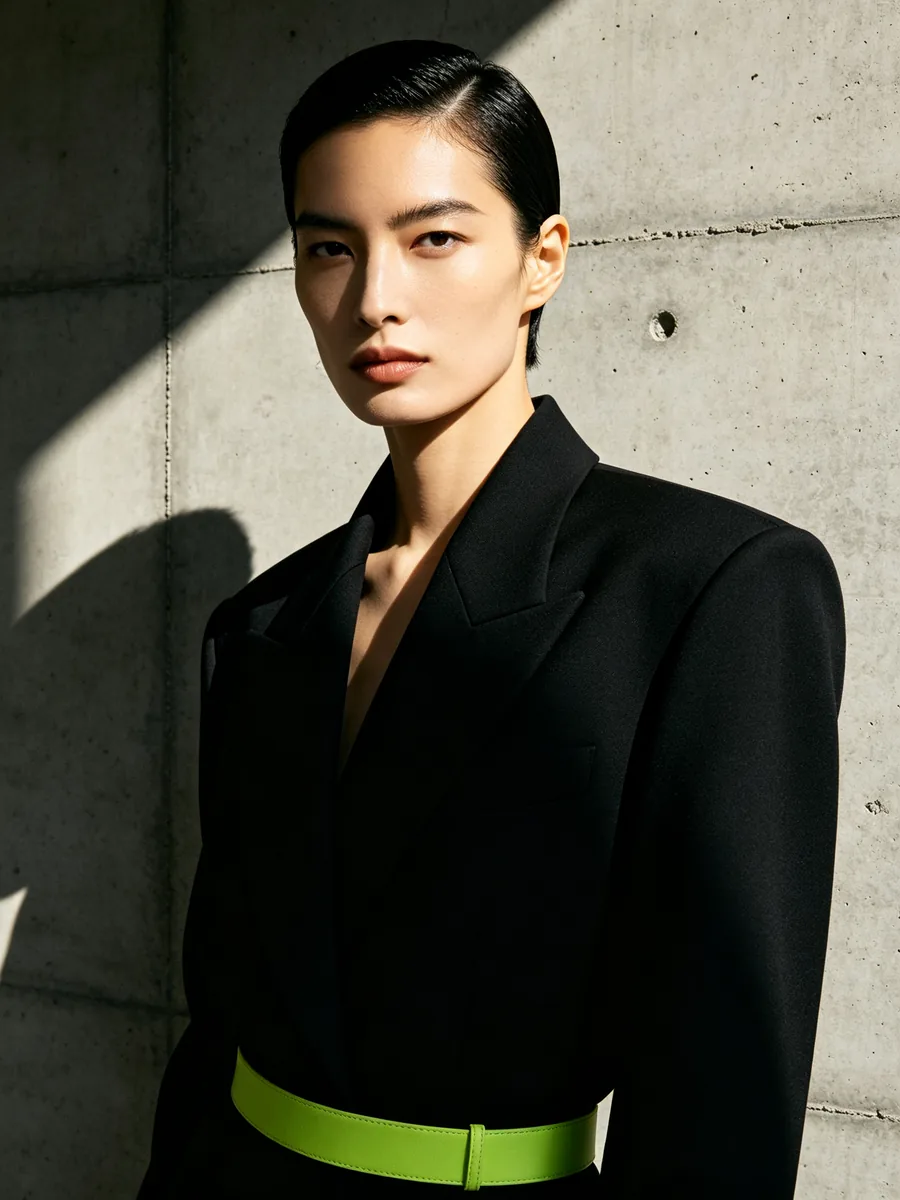
  • A model in an oversized black blazer stands against a raw concrete wall in hard sunlight.

    Oversized blazer editorial

    A fashion editorial portrait of a model with a sleek short haircut wearing an oversized sharp-shouldered black blazer, standing against a raw concrete wall. Hard direct sunlight creates a crisp diagonal shadow across the wall and half of the face, a thin acid-green belt as the only accent. Monochrome styling, high-contrast, 85mm lens.

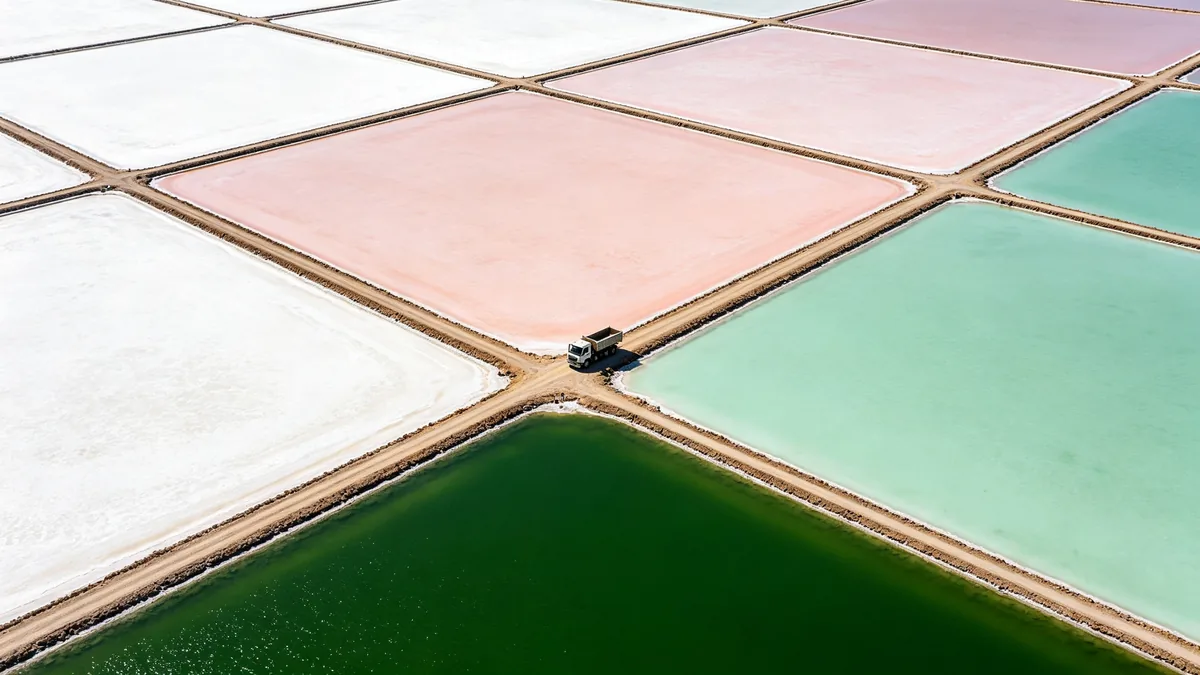
  • An aerial view of geometric salt evaporation pools in white, pink and green.

    Salt pools from above

    Top-down aerial photograph of geometric salt evaporation pools forming a grid of rectangles in chalk white, pale pink, mint and deep green, separated by thin dirt paths, a single small truck on one path for scale. Hard light, graphic abstract composition, crisp detail, design-led landscape photography.

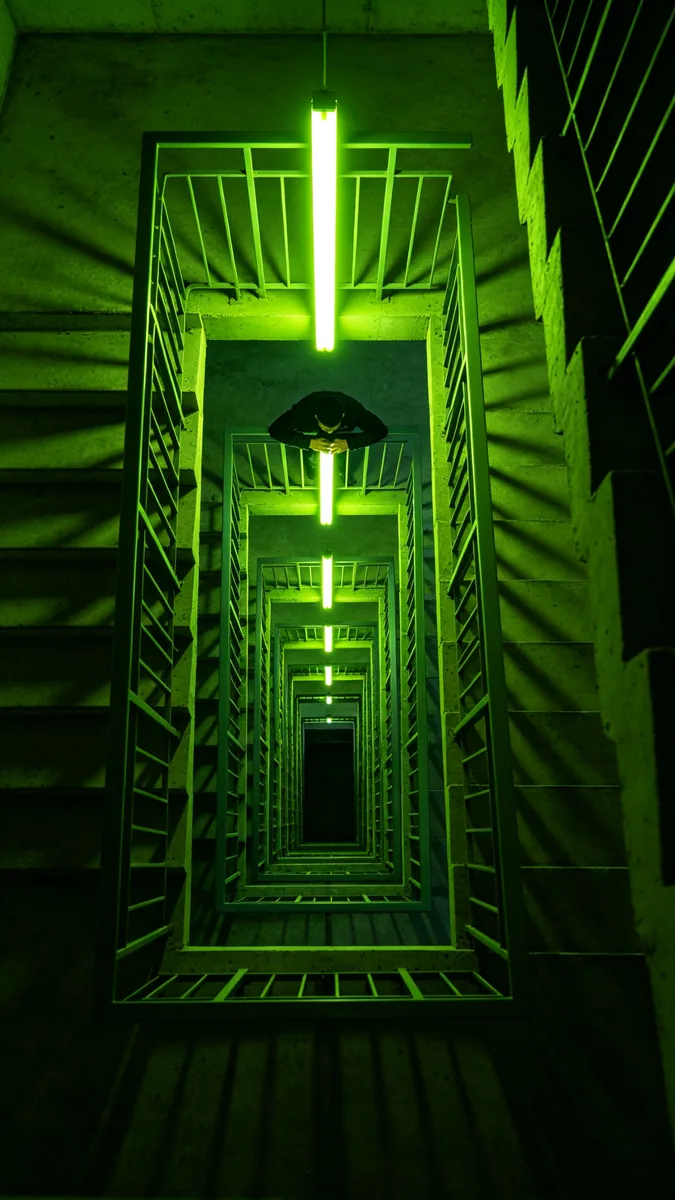
  • A square concrete stairwell lit by a single green neon tube, seen from below.

    Neon stairwell

    Looking up a square concrete stairwell spiraling upward, lit by a single vertical acid-green neon tube on each landing. Deep shadows, repeating geometric railings, the green light bouncing off raw concrete, a lone figure leaning over the top railing. Vertical composition, graphic and moody.

Sample images are illustrative; results vary by model.

About Grok Imagine Image 2.0

Grok Imagine Image 2.0 is xAI's second-generation image model and the Quality Mode of the Grok Imagine app. xAI says it built the model to make images you can use in real work. It follows instructions closely down to the details, plans typography and layout so that dense, multi-part visuals hold together and small text comes out sharp, and preserves what you put in across generations and edits. xAI trained it for fidelity across photography, design and illustration, and treats editing as a first-class feature rather than an add-on.

On Zero Kit it runs in the editor on this page, at 1K and 2K. You can choose from 15 aspect ratios, which covers square covers, tall posters and wide banners. Add up to 3 reference images to edit or combine them, and ask for up to 4 images in one run to compare layouts side by side.

Reach for it when a picture needs designed lettering or a graphic system: a typographic poster, a record sleeve, a cover, an ad built on a strong grid, or an edit that recolours one garment and leaves the face and background untouched. The samples on this page use hard light, flat colour and clean geometry to show that side of the model. Grok Imagine Image 2.0 is included in Plus and above. For quick, casual pictures, the original Grok Imagine Image is the simpler model; its page shows the difference.

What Grok Imagine Image 2.0 does well

Designed typography

Layout and lettering are the core of xAI's pitch for Image 2.0. In the sample poster, the word ECHO is set in tightly kerned grotesque capitals and repeated four times down the page, each copy fading and shifting like an echo, on an acid-green field with a thin black rule. The spelling holds and the repetition keeps a clear rhythm. Put the word in quotes, name the letter style (grotesque, condensed, serif) and describe how it should repeat, align or scale; the model reads those as design instructions rather than decoration.
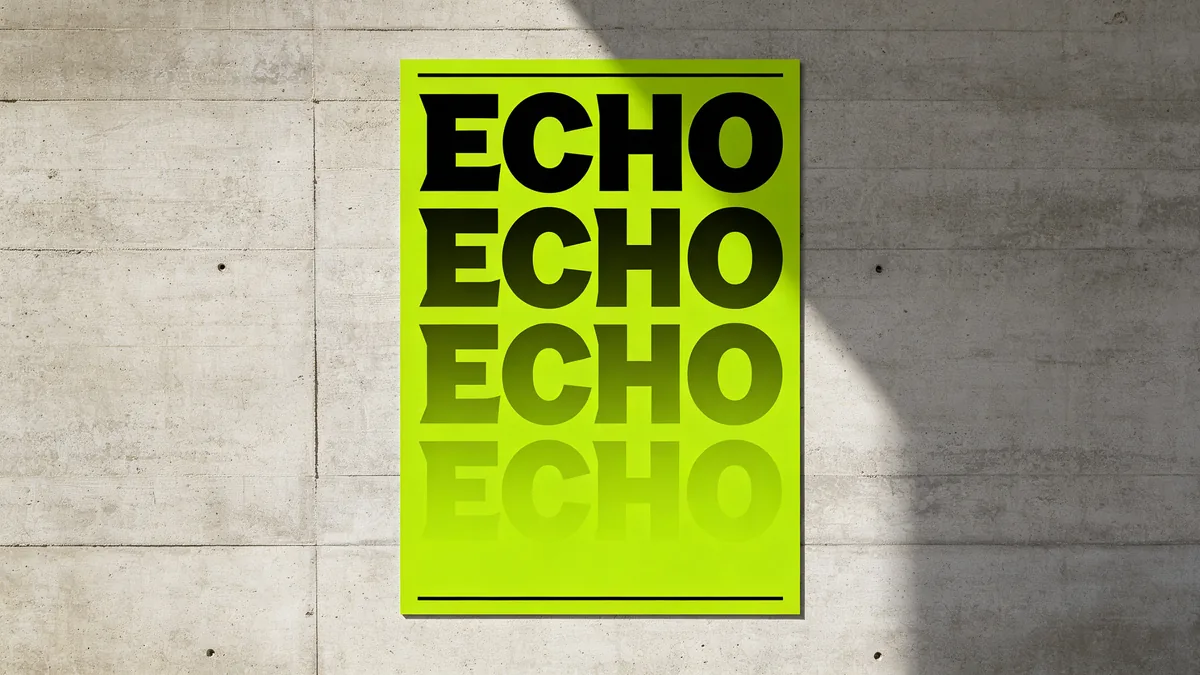
A poster with the word ECHO in bold experimental letters repeated with a fading echo effect.

A contemporary typographic poster displayed on a concrete wall. The word "ECHO" set in bold, tightly kerned grotesque capitals in black, repeated four times downward, each repetition fading and slightly offset like a visual echo, on an acid-green background with a thin black rule. Correct spelling, sharp print edges, soft daylight on the wall, Swiss-inspired modern graphic design.
Refine one area, keep the rest

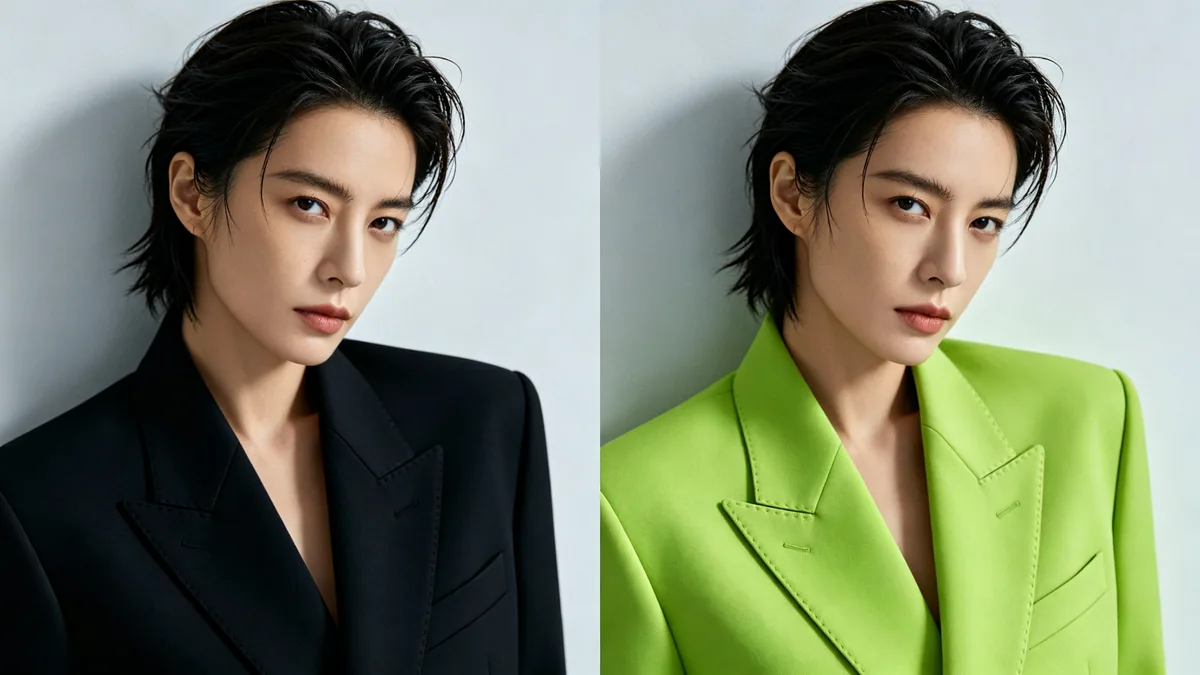
Image 2.0 is built to change what you point to and nothing else. The before-and-after sample recolours only a structured black jacket to acid green, while the pose, face, hair, grey wall and lighting stay identical and the fabric folds and stitching survive the change. In the Grok app xAI offers a magic wand and segmentation for this kind of edit. On Zero Kit you upload the image and name the area in words, such as "only the jacket", then list the parts that must not move.

Before and after: the same portrait with only the jacket recolored from black to acid green.

A before-and-after diptych of the same fashion portrait with identical pose, face, hair, background and lighting. Left: a person in a structured black jacket against a pale grey wall. Right: exactly the same image with only the jacket recolored to acid green, fabric folds and stitching preserved. Every other detail unchanged, high-end editorial photography.

Design-led composition

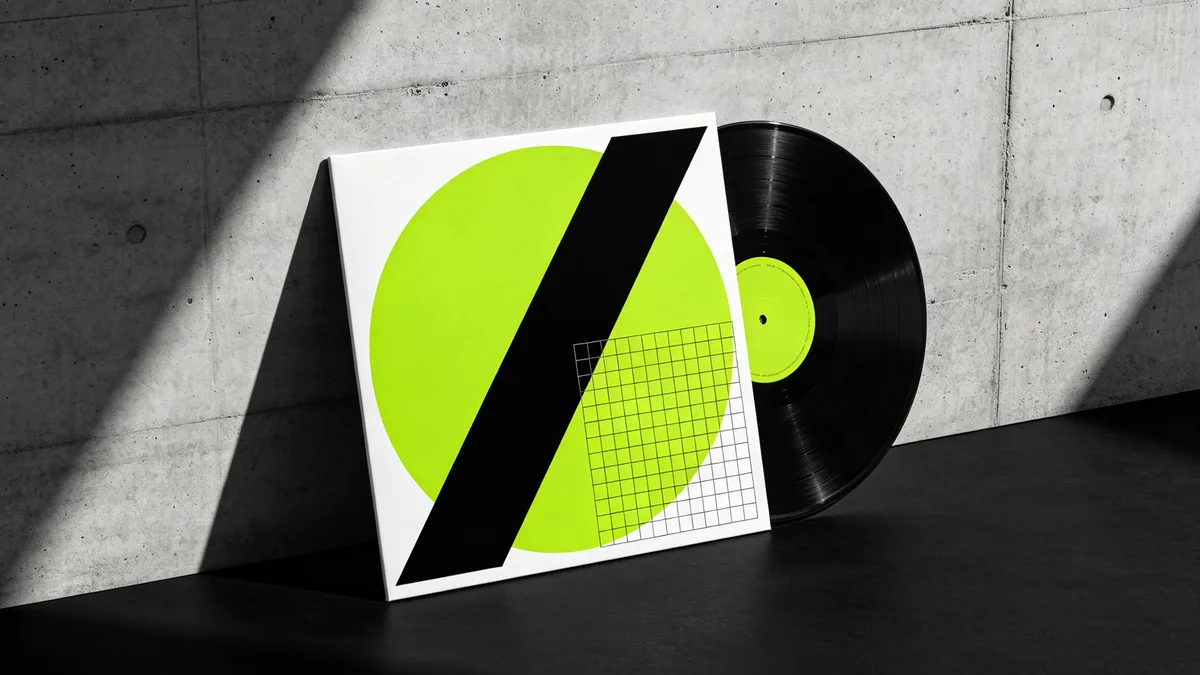
The model composes an image the way a designer lays out a page. The record sleeve sample balances an acid-green circle, thick black diagonal bars and a thin white grid on a square cover, then places the sleeve against raw concrete with the vinyl half pulled out and a crisp shadow from the side light. For covers, posters and packaging, describe the shapes, their proportions and the grid they sit on, and say whether the design carries text or stays purely graphic.

A square record sleeve with abstract black and green geometry leaning against a concrete wall.

A square vinyl record sleeve leaning against a raw concrete wall on a black floor, the vinyl disc half pulled out. The sleeve artwork is bold abstract geometry — an acid-green circle cut by thick black diagonal bars and a thin white grid, no text. Hard side light, crisp shadow, minimalist product still life.

Grok Imagine Image 2.0 specs and pricing

Every price below comes from the live price list, so it changes here as soon as rates change. Credits are charged per image, or per second of video.

Credits per image
ResolutionPlanLow qualityMedium quality
1KPlus812
2KPlus1216

Limitations to know

  • Output stops at 2K. That covers social posts and screens, but a large print may need upscaling afterwards.
  • Each generation takes at most 3 reference images, so a composite of many products or people has to be built in stages or from a single combined mood board.
  • The magic wand, segmentation and background removal that xAI ships in the Grok app are not in this editor. Here an edit is described in words, so name the area precisely and check that nothing else moved.

How to write prompts for Grok Imagine Image 2.0

  1. Write the brief like a design spec: format, grid, colours, then any text in quotes.
  2. Name the typeface style and the treatment, such as tight kerning, repeated lines or a thin rule, instead of asking for "nice typography".
  3. For an edit, start with "only the jacket" (or whichever area) and then list what must stay: face, pose, background, light.
  4. Keep the palette to two or three named colours plus one accent so the layout reads at a glance.
  5. Generate several images in one run, pick the strongest layout, then refine that one with edits.

Grok Imagine Image 2.0 FAQ

No. On Zero Kit, Grok Imagine Image 2.0 is included in Plus and above, and every image costs credits. The pricing page shows which models the free plan includes.

Ready to try Grok Imagine Image 2.0?

Write a line or pick a sample prompt, then press generate.

Last updated: