

Zero Kit AI

Seedream 5.0 Lite AI Image Generator

ByteDance's Seedream 5.0 Lite reads what a prompt is for — a poster, a slide, a product page — and lays the image out to match, with realistic light and materials.

  • ByteDanceByteDance
  • Up to 4K
  • Up to 14 reference images
  • Up to 4 images per run
  • Credits per image: from 8
  • Included in Plus and above
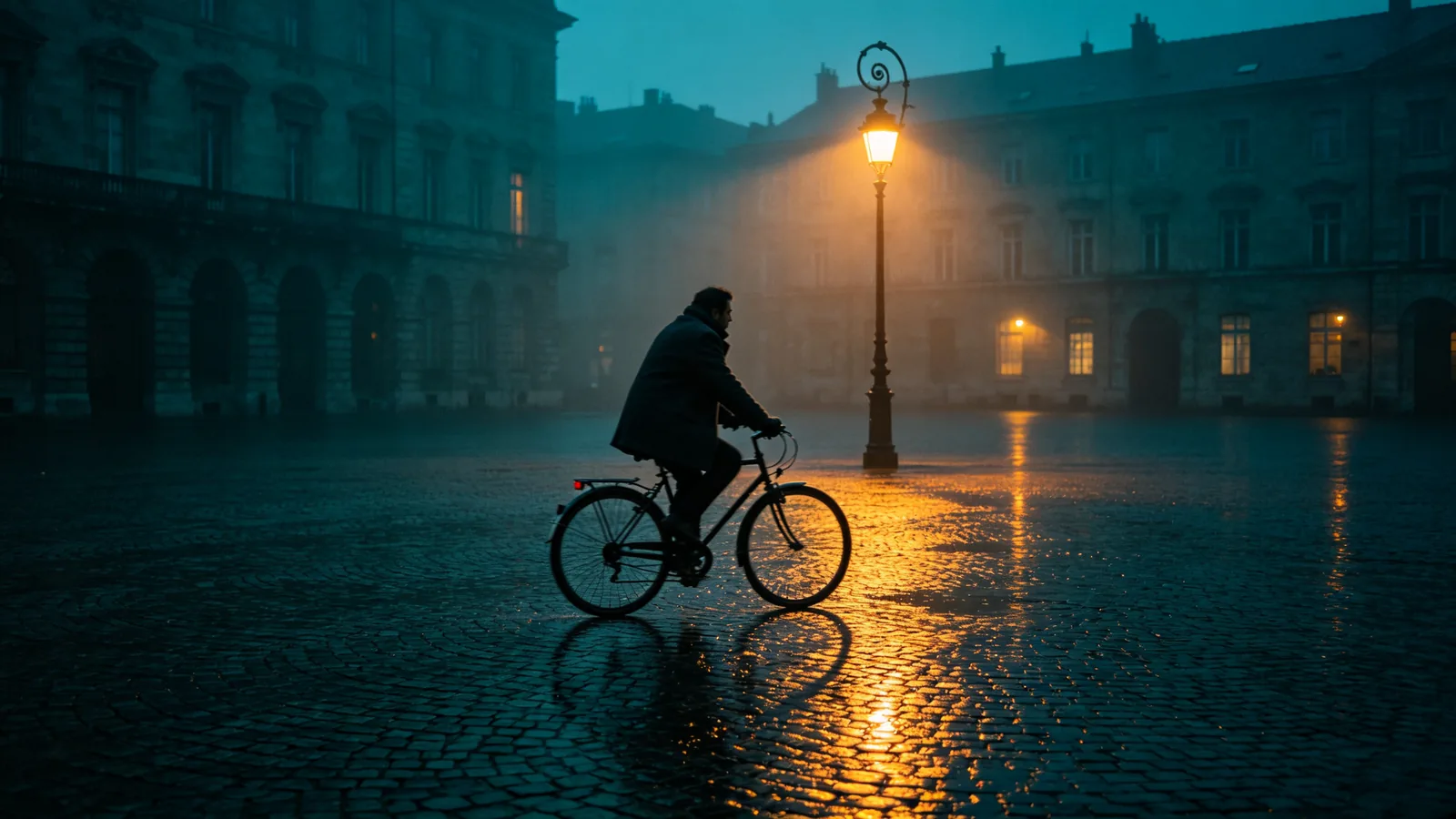
A lone cyclist crosses a wet cobblestone square at blue hour under a single warm streetlamp.

Sample prompts to try with Seedream 5.0 Lite

  • A still life of a brushed copper pitcher, a veined marble slab and crumpled linen in soft side light.

    Copper, marble and linen

    A photoreal material study: a brushed copper pitcher with a subtle dent, standing on a slab of white Carrara marble with grey veining, next to a crumpled piece of natural linen and two green figs. Soft side light from a north window reveals the brushed grain of the copper, the polish of the marble and the weave of the linen. Muted warm palette, square composition, fine-art still-life photography.

  • Close-up of a potter's wet hands shaping a clay vessel on a spinning wheel.

    Hands shaping clay

    Close-up of a potter's hands shaping a tall vessel on a spinning wheel, slick with wet grey clay, a thin ribbon of slip curling off the rim. Streaks of water, fine texture on the knuckles, the wheel slightly motion-blurred. A single warm light from above in an otherwise dark workshop, cinematic chiaroscuro, teal shadows and amber highlights, 85mm lens.

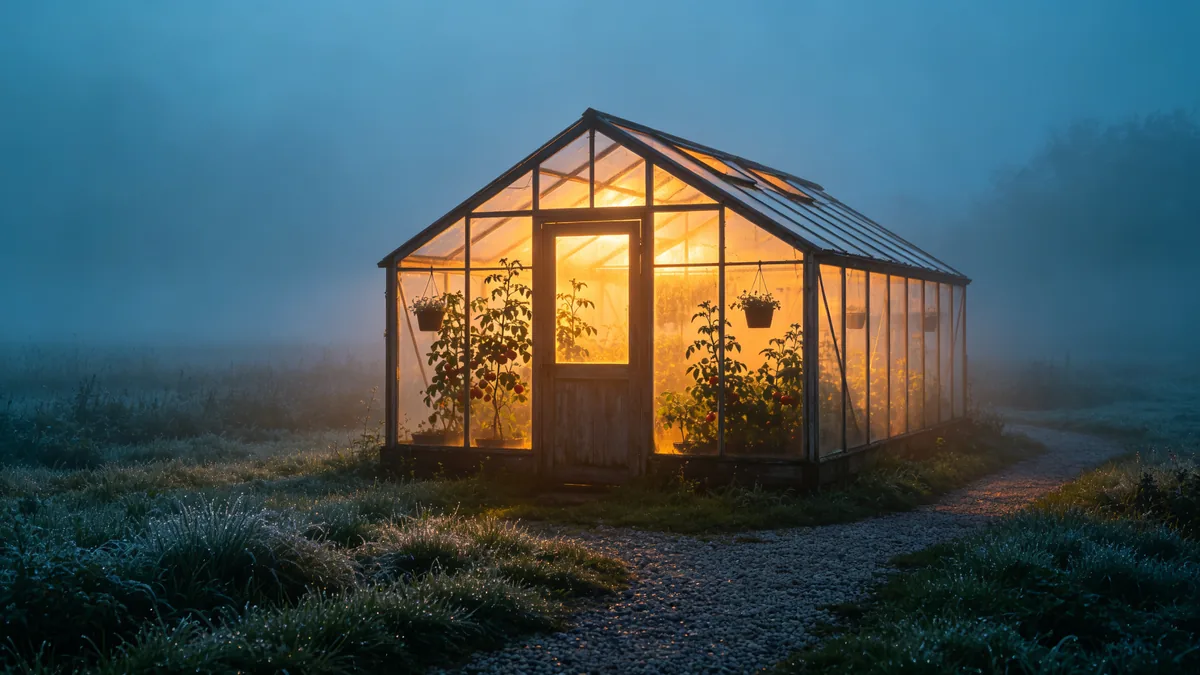
  • An old glass greenhouse glowing in a foggy field at dawn, lit from inside.

    Greenhouse in morning fog

    An old wooden-framed glass greenhouse standing alone in a foggy meadow at dawn, lit warmly from inside so the fog glows amber around it. Silhouettes of tall tomato vines and hanging baskets inside, dew on the grass, a gravel path leading to the door, cool blue-teal surroundings. Cinematic wide shot, 35mm lens, soft atmospheric depth.

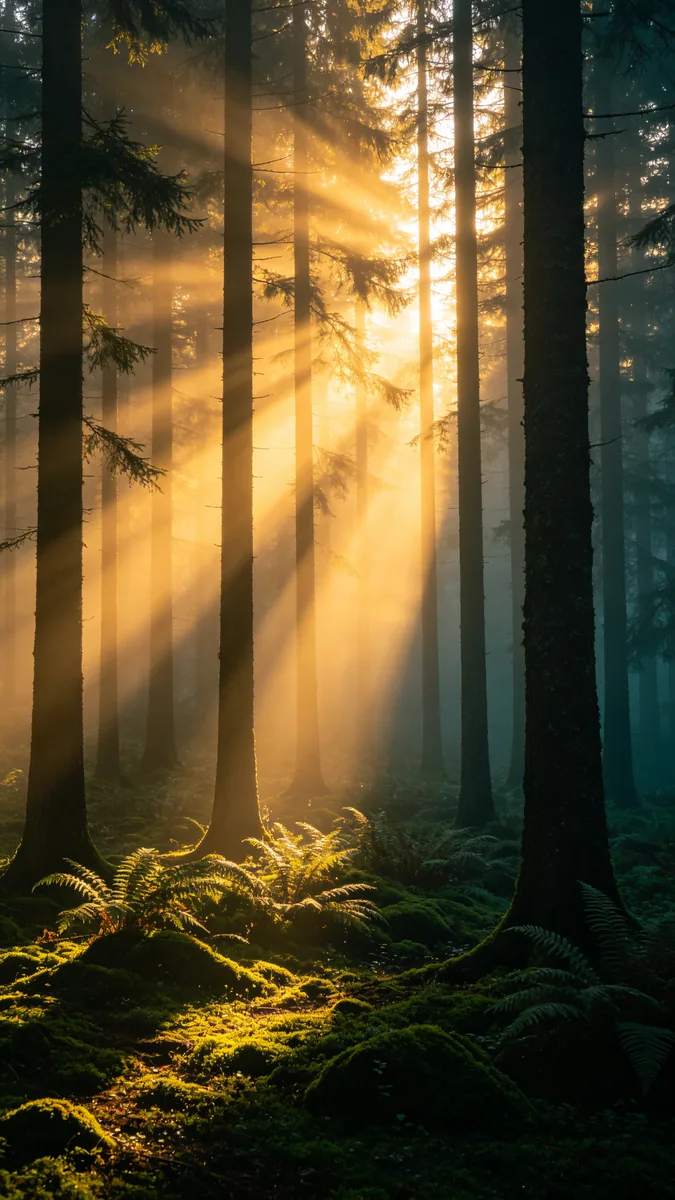
  • Shafts of morning sunlight pierce through mist in a tall pine forest.

    Sun rays in a pine forest

    Tall straight pine trunks in a misty forest at sunrise, with strong shafts of golden light piercing through the canopy and cutting diagonal beams through the fog. Soft moss and ferns on the forest floor, fine particles in the light, deep teal shadows, vertical composition emphasizing height, cinematic nature photography.

Sample images are illustrative; results vary by model.

About Seedream 5.0 Lite

Seedream 5.0 Lite is part of ByteDance Seed's fifth generation of image models. ByteDance describes it as a unified multimodal image model with deep reasoning: it works out the intent behind a prompt and matches the layout and style to it, so a request for a poster, a slide deck page or an e-commerce detail image comes back arranged like one. The same model handles plain photographic scenes, with convincing light, texture and depth.

On Zero Kit it runs from the editor at the top of this page. It outputs at 2K, 3K and 4K, takes up to 14 reference images and can produce up to 4 images in one run, which is useful when you want several layout options from one brief. You can also upload an image and describe a change — a new season, a different time of day, another colour — and Seedream 5.0 Lite edits it to match. It is included in Plus and above.

A good first test is a product still life or a poster brief. Describe the product, the surface it sits on and the light, or name the headline and where it goes, and compare two or three results from one run. Because the model works out the purpose of the image, a short brief that says what the picture is for often beats a long list of visual details.

Choose Lite for everyday design and photo work on the fifth-generation model. Seedream 5.0 Pro adds precise interactive editing and layer splitting for detailed design jobs, and Seedream 4.5 and 4.0 remain available for portraits and batch work; compare their price tables before you pick. Links to all of them are at the bottom of this page.

What Seedream 5.0 Lite does well

Changes made on instruction

Upload a photo and describe the change in one sentence — turn summer into winter, day into night, add snow on the roofs — and Seedream 5.0 Lite applies it while keeping the layout, the buildings and the camera angle. ByteDance highlights close alignment with instructions for this model, and simple, specific edits are where it shows most.
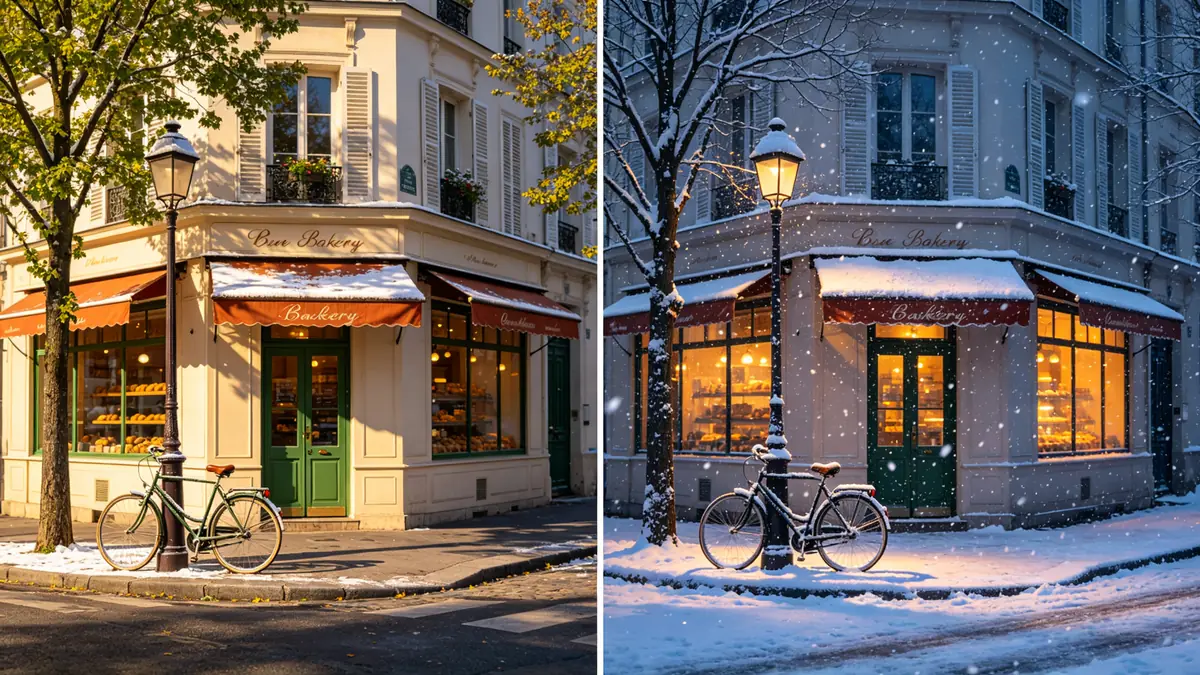
Before and after: the same street corner in summer daylight on the left and edited into a snowy evening on the right.

A before-and-after diptych of the same quiet European street corner with a bakery awning, a bicycle leaning on a lamppost and a green door, identical camera angle. Left panel: bright summer afternoon with leafy trees and dry pavement. Right panel: the same scene edited into a snowy winter evening — snow on the awning and bicycle seat, warm light glowing from the windows, falling snowflakes, bare trees. Every building detail remains identical, photoreal.
Light that looks designed

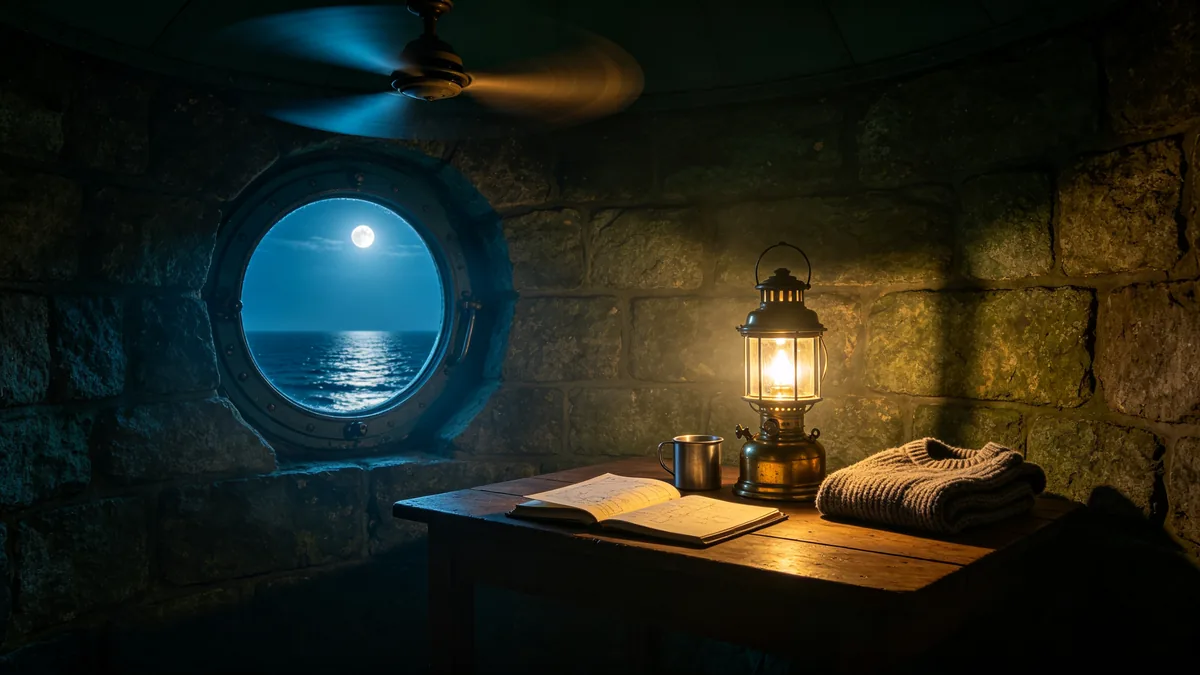
Seedream 5.0 Lite handles a single light source well: an oil lamp in a dark room, a streetlamp on wet stone, sunlight through fog. Name where the light comes from, its colour and what it falls on, and the model builds the shadows and reflections around it. This is what gives its images a cinematic, finished look without extra retouching.

A lighthouse keeper's round room lit by a single oil lamp, with the sea visible through a porthole window.

Interior of a lighthouse keeper's round stone room at night, lit only by a single brass oil lamp on a wooden table. A logbook, a tin mug and a folded wool sweater on the table, the warm lamp light falling off quickly into deep blue shadow, a porthole window showing a moonlit sea and the rotating beam overhead. Cinematic chiaroscuro, volumetric haze, teal and amber grade, 35mm lens.

Materials that look real

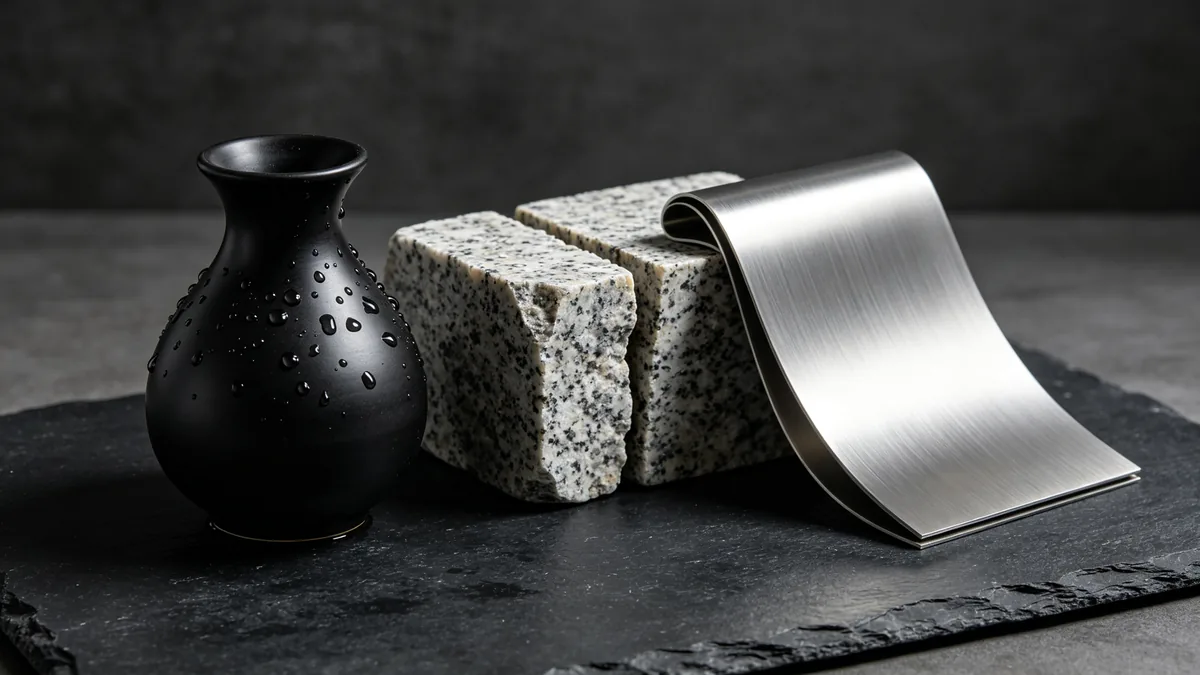
Water on ceramic, rough granite, brushed metal, folded paper: Seedream 5.0 Lite renders surface texture convincingly, which matters for product and still-life images. Describe each material by what it feels like — matte, glossy, rough, soft — and the model keeps them distinct in the same frame.

Water droplets on a matte black ceramic vase beside rough granite and a folded sheet of brushed aluminum.

A photoreal close-up of material textures: a matte black ceramic vase beaded with water droplets, a rough split block of speckled granite, and a folded sheet of brushed aluminum with soft reflections, arranged on dark slate. A single softbox from the side shows each surface differently — the dry matte clay, the wet droplets, the crystalline stone and the linear brushed metal. Product photography, 100mm macro lens.

Seedream 5.0 Lite specs and pricing

Every price below comes from the live price list, so it changes here as soon as rates change. Credits are charged per image, or per second of video.

Credits per image
ResolutionSize at 1:1PlanCredits
2K2048 × 2048Plus8
3K3072 × 3072Plus16
4K4096 × 4096Plus24

Limitations to know

  • Small or dense text in a layout can still contain wrong characters. Check every word on posters and slides before you use them.
  • Faces and hands in the background of busy scenes can lose detail. Keep the people who matter large in the frame.
  • An edit prompt that changes many things at once can alter parts you wanted to keep. Make one change per edit and say what must stay.

How to write prompts for Seedream 5.0 Lite

  1. Say what the image is for first — "a poster", "a product detail image", "a slide title page" — so the layout matches the purpose.
  2. List the text you need in quotes and say where it goes.
  3. Describe the light source, its colour and its direction in one phrase.
  4. Name each material in the scene with one adjective, such as "matte black ceramic" or "rough grey granite".
  5. For edits, describe a single change and add "keep everything else the same".

Seedream 5.0 Lite FAQ

No. Seedream 5.0 Lite is included in Plus and above on Zero Kit, and each image costs credits by resolution. The pricing page lists the models that the free plan includes.

Ready to try Seedream 5.0 Lite?

Write a line or pick a sample prompt, then press generate.

Last updated: